

To monitor BTCPay Server uptime and sync properly, you need two separate checks: one that confirms your store's web page answers over HTTPS, and one that confirms your Bitcoin node's block height matches the network. The first catches a dead server. The second catches the quieter failure, where the page loads fine while a stalled node cannot see new payments.
TL;DR:
- An HTTP uptime check alone will report "up" while a stalled node misses payments, so run a sync check as well.
- Compare
blockstoheadersin Bitcoin Core'sgetblockchaininfo, or read sync status from BTCPay's Greenfield API.- Alert on tip age: 90 minutes without a new block happens by chance about once in 8,100 tries.
- Run the monitor outside the server it watches, and use a heartbeat so a silent monitor also raises an alarm.
- Add a TLS expiry check, a disk check at 85%, and a test invoice every 5 to 15 minutes to cover the failures a ping misses.
Table of Contents
- How to Monitor BTCPay Server Uptime and Sync: Two Failures, Two Checks
- What to Check and When to Alert: The Full List
- Reading Node Sync From the Command Line and the API
- Why Tip Age Beats a Sync Percentage
- Setting Up External Uptime Alerts With a Heartbeat
- When Sync Stalls: A Triage Order That Saves Hours
- Certificates, Disks and Webhooks: The Failures a Ping Misses
- Doing It Yourself or Paying for It: Which We Would Pick
- Get BTCPay Node Monitoring Handled for $29 a Month
- Frequently Asked Questions
- Sources
How to Monitor BTCPay Server Uptime and Sync: Two Failures, Two Checks
A BTCPay Server can fail in two ways that look nothing alike. In the first, the server is down: the container crashed, the certificate expired, the VPS rebooted and nothing came back. Any uptime tool catches that. In the second, the web interface loads and your checkout page renders, but the Bitcoin node behind it has stopped following the chain. Customers can still create invoices, yet the node may be slow to notice a payment, or never notice it.
Most monitoring setups cover only the first case. If you wire up just a ping, you will learn about the second from a customer email. If you would rather not run any of this yourself, the BTCPay Server installation service guide covers when a hosted node makes more sense than your own.
The rest of this article is the monitoring we would set up on a self-run node, in order.
What to Check and When to Alert: The Full List
Seven checks cover almost every failure we see on BTCPay deployments. The thresholds below are starting points, tuned to avoid waking you up for nothing.
| Check | How to run it | Alert when |
|---|---|---|
| Site reachable | HTTPS request to your BTCPay URL every 60 seconds from an outside host | 2 failures in a row |
| TLS certificate | Read the expiry date on the served certificate | Fewer than 14 days left |
| Node sync | getblockchaininfo or BTCPay's server info API |
blocks behind headers, or not fully synced, for over 15 minutes |
| Tip age | Time since the node last received a block | Over 90 minutes |
| Invoice creation | Create a tiny test invoice through the API every 5 to 15 minutes | Any error, or no payment address returned |
| Disk space | df -h on the data volume |
Over 85% used |
| Webhook delivery | Delivery log under your store's webhook settings | Any failed delivery to your shop |
People skip the invoice test, yet it is the closest thing to a real customer. One request exercises the web app, the database, your wallet configuration and your shop's connection. If it passes, your checkout works.
Reading Node Sync From the Command Line and the API
There are two places to ask whether your node is caught up, and they should agree.
Bitcoin Core directly
The getblockchaininfo RPC in Bitcoin Core returns blocks (the height your node has validated), headers (the height of the best header chain it knows about), verificationprogress and initialblockdownload. A healthy, caught-up node has blocks equal to headers and initialblockdownload set to false. On a standard Docker deployment you can run it with the bitcoin-cli.sh helper that ships in the BTCPay Docker repository.
BTCPay's own view
The Greenfield API documentation describes a health endpoint and a server info endpoint. The health endpoint reports whether the server considers itself synchronized, and it needs no API key. The server info endpoint reports sync status for each chain and needs a key with server admin permission, so create a dedicated key for monitoring and give it nothing else.
Use both. Bitcoin Core tells you what the node believes, and BTCPay tells you whether the application layer agrees. When they disagree, for example the node is synced but BTCPay still reports it is not, the fault is between the two, usually in a container that needs a restart.
Why Tip Age Beats a Sync Percentage
A percentage is a poor alert condition. verificationprogress is an estimate, and during initial download it can sit near 99% for hours while the last, largest blocks are validated. Once the node is caught up, the figure stays at roughly 100% even if the node later stalls, because it measures progress against the tip the node already knows about.
Tip age avoids that problem. Blocks arrive on average every 10 minutes, and the gap between them follows an exponential distribution, so you can calculate how often a gap of a given length is just bad luck.
A 90-minute gap between Bitcoin blocks happens by chance about once in 8,100 tries (e^-9), so a node tip older than that almost certainly means your node is stuck.
A 60-minute threshold would fire falsely about once in 400 windows (e^-6, 0.25%), which means a spurious page every few weeks on a busy monitor. At 90 minutes the false alarm rate is negligible and you are not blind for long. The same alert fires if your node has lost every peer, so it also covers a node process that is running but isolated.
Setting Up External Uptime Alerts With a Heartbeat

Run your monitor on a different machine than your BTCPay Server. A monitor on the same box dies with it, and you hear nothing. A free-tier VPS or a home server running Uptime Kuma works. It supports HTTP checks, certificate expiry alerts and push monitors, and it is open source, which fits a sovereignty-minded setup.
Use the HTTP monitor for the public site check. Use a push monitor for everything that has to be checked from inside the server: sync, tip age, disk. A small script on the node runs every few minutes, checks those conditions, and calls the push URL only if all of them pass.
Pro Tip: Make the script report success, not failure. If the script only pings when something is wrong, a crashed server, a dead cron job and a broken network all look identical to "everything is fine." With a success-only heartbeat, the monitor raises an alert whenever the heartbeat stops arriving, so one setup covers outages and silent monitors alike. Set the grace period to roughly twice the script interval.
When Sync Stalls: A Triage Order That Saves Hours
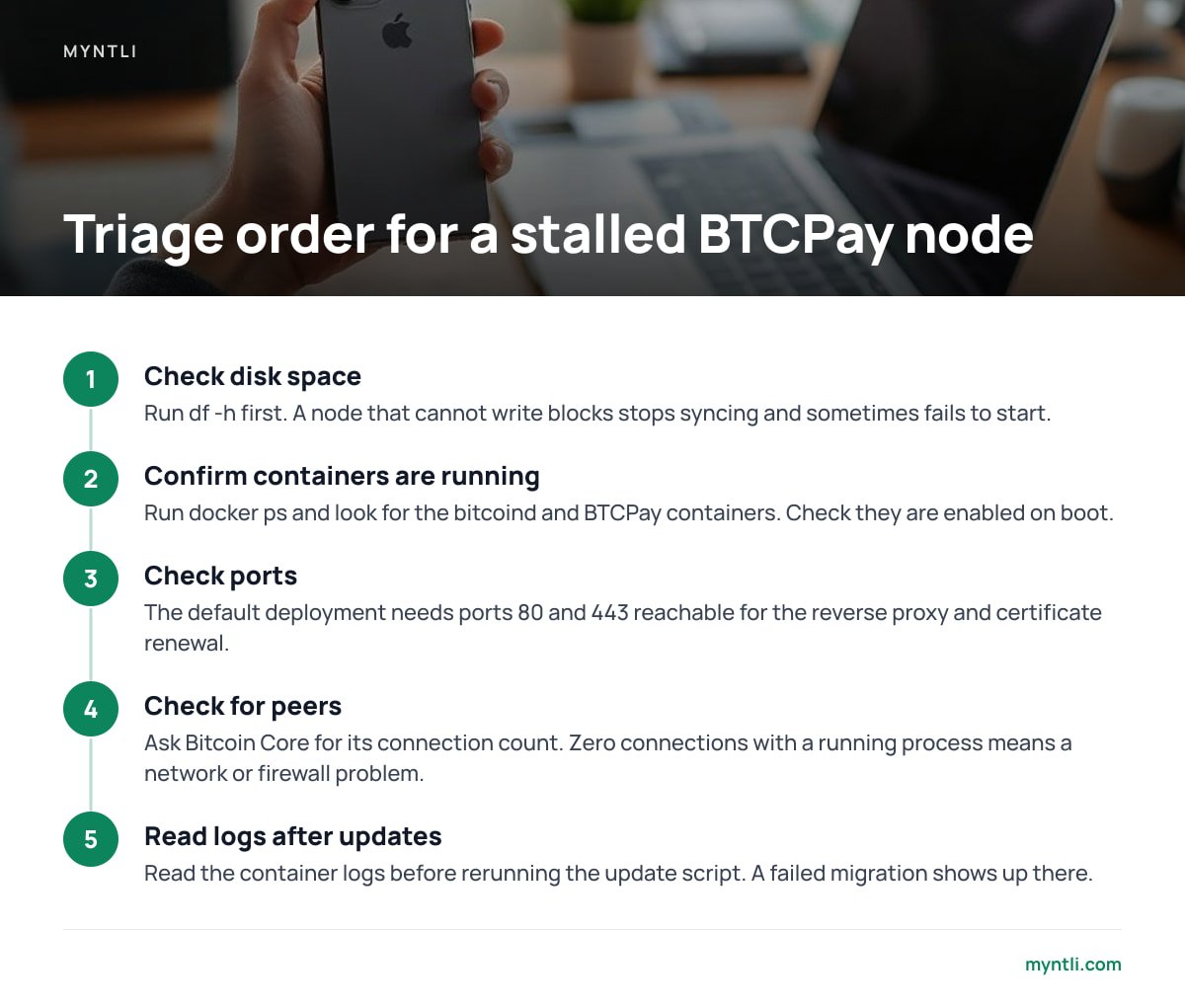
The failure threads that rank for this topic describe the same handful of causes. Work through them in this order, cheapest first.
- Disk full. Check
df -hbefore anything else. A node that cannot write blocks stops syncing and sometimes fails to start. An unpruned chain takes hundreds of gigabytes and keeps growing. - Containers not running. Run
docker psand look for the bitcoind and BTCPay containers. After a reboot, confirm Docker itself and the BTCPay startup service are enabled, since "works until restart" usually means something is not set to start on boot. - Ports blocked. The default deployment needs ports 80 and 443 reachable for the reverse proxy and certificate renewal. Outbound peer connections work without opening 8333, but inbound helps the node find peers.
- No peers. Ask Bitcoin Core for its connection count. Zero connections with a running process means a network or firewall problem.
- Stuck after an update. Read the container logs before rerunning the update script. A failed migration or a changed configuration shows up there, and rerunning blindly can hide it.
On "fast sync": the BTCPay Docker repository includes a FastSync option that loads a UTXO snapshot instead of validating from the genesis block. You are trusting whoever produced the snapshot, so verify its hash against more than one independent source. If your node is not urgent, we would let it validate the chain itself.
Certificates, Disks and Webhooks: The Failures a Ping Misses
Let's Encrypt certificates are valid for 90 days, and renewal happens in the background. If port 80 gets blocked or the renewal container breaks, nothing complains until the certificate expires and browsers show your customers a full-page warning. A 14-day expiry alert gives you two weeks to fix a quiet failure.
Webhooks fail in a similar way. BTCPay can show a paid invoice while your shop still lists the order as pending, because your shop's endpoint rejected the callback. Check the delivery log in the store's webhook settings, and alert on any failed delivery that is not retried successfully. Your wallet and node can be perfect while the order never ships.
Back up before you troubleshoot anything destructive. The backup and disaster recovery checklist lists what must be copied so that a rebuild after a failed node does not cost you configuration or data.
Doing It Yourself or Paying for It: Which We Would Pick
If you already run your own server and enjoy it, the setup above takes an afternoon and costs a few dollars a month for the external monitor. You will own the alerts, and you will be the person who gets them at 3 a.m. For a developer or a technically inclined merchant, that is a fair trade.
For most small shops, we would not do it. Monitoring is only half the work. Someone has to act on the alert, update the node, and keep the shop integration working. Our position: run the monitoring yourself only if you will also run the repairs yourself. A hosted BTCPay Server still pays into your own wallet, so you give up server chores but not custody.
Get BTCPay Node Monitoring Handled for $29 a Month
Myntli runs the checks described above for you. Our hosted plan is $29 a month and covers uptime monitoring, sync checks, updates and shop integration, so we notice and fix a stalled node before it shows up as a missing order. Payments go straight to your own wallet, we take no percentage, and we never hold your funds.
The caveat is that hosting means your store runs on our node, so you depend on our uptime. If you want the node on hardware you control, we install a full BTCPay Server on your own server for $449. In that case you own the machine and its disk space, and you should still set up the external heartbeat from this article as a second opinion.
Frequently Asked Questions
How often should I check whether my BTCPay Server is online?
Every 60 seconds for the public HTTPS check is a sensible default, with an alert after two consecutive failures. That catches real outages within a few minutes and ignores a single dropped request.
How do I know if my BTCPay node is fully synced?
Run Bitcoin Core's getblockchaininfo and confirm that blocks equals headers and initialblockdownload is false. You can also read the sync status from BTCPay's Greenfield API, and the two should agree.
Why is my BTCPay node stuck at 99%?
During the initial download, the last stretch is often the slowest because recent blocks are larger and take longer to validate, so 99% can last for hours. If the block height stops increasing entirely, check disk space, running containers and peer connections.
Can I run the monitoring on the same server as BTCPay?
You can, but it will fail along with the server and send no alert. Put the uptime monitor on a separate machine, and use a heartbeat from the node so that a silent server also triggers an alert.
What is a good alert threshold for a stalled Bitcoin node?
Ninety minutes without a new block. Gaps that long occur by chance about once in 8,100 tries, so the alert will rarely fire falsely and will still catch a real stall within a couple of hours.
Sources
- getblockchaininfo RPC reference | Bitcoin Core developer documentation
- Greenfield API v1 | BTCPay Server documentation
- Uptime Kuma | GitHub (louislam/uptime-kuma)
- Why ninety-day lifetimes for certificates | Let's Encrypt
- BTCPay Server documentation | BTCPay Server