

A BTCPay Server backup and disaster recovery plan comes down to four small things: a database backup, your wallet seed, your install settings, and a restore you have actually tested. Blockchain data is not on that list, because it can be re-downloaded. Where your seed lives matters most. If it is off the server, losing the machine costs you invoice history and configuration, not money.
TL;DR:
- Back up the Postgres database, the BTCPay data directory, and your install settings. Skip the blockchain, which resyncs on its own.
- Your wallet seed is the one item the server backup cannot protect. Keep it offline, and connect a watch-only wallet to the store.
- The official Docker scripts (btcpay-backup.sh and btcpay-restore.sh) do the work, but they only help if the output is encrypted and copied off the server.
- Lightning is the exception: restoring a stale channel database can trigger penalties, so use static channel backups, which can only close channels.
- Restore onto a throwaway server every quarter. An untested backup is a guess.
Table of Contents
- BTCPay Server Backup and Disaster Recovery: What the Plan Has to Protect
- What to Include in a BTCPay Server Backup, and the One Thing to Leave Out
- Wallet Keys: Why a Server Backup Cannot Replace Your Seed Phrase
- Setting Up a BTCPay Server Backup With the Docker Scripts
- BTCPay Server Backup Not Working? Six Causes to Check
- Lightning Channels: The Case Where Restoring a Backup Makes Things Worse
- Is BTCPay Secure? What Recovery Planning Adds to the Answer
- The Recovery Runbook: Targets, Test Schedule, and What to Write Down
- Get Hosted BTCPay With Monitoring and Updates Handled
- Frequently Asked Questions
- Sources
BTCPay Server Backup and Disaster Recovery: What the Plan Has to Protect
BTCPay Server is free, open-source payment software you host yourself. It connects to a Bitcoin node, creates invoices for your shop, and sends customer payments directly to your own wallet. The BTCPay Server project publishes it under an open license, and no processor sits between you and the customer.
Using it takes five steps. You create a store, attach a wallet, connect your shop through a plugin or the API, let customers pay an invoice at checkout, and watch the order status update when the payment confirms. Each step leaves data on the server, and a recovery plan has to protect that data.
A backup and disaster recovery plan is a written answer to three questions. What do you copy, where do the copies go, and how fast can you be taking payments again? NIST's Special Publication 800-34 on contingency planning names the last two targets: the recovery point objective (how much recent data you can afford to lose) and the recovery time objective (how long you can be down). For a small shop, that means "how many hours of invoices can I lose" and "how long can checkout be broken."
If you are still choosing between a managed host and your own machine, the installation service comparison covers that decision. This article assumes a node already exists and asks how you would bring it back.
What to Include in a BTCPay Server Backup, and the One Thing to Leave Out
The BTCPay data that matters is small. The huge part, the blockchain, you can get back for free. Here is where each piece lives and how to protect it.
| Item | What it holds | Can it be rebuilt? | How to protect it |
|---|---|---|---|
| Postgres database | Stores, invoices, users, API keys, webhooks, apps | No | Scripted backup, copied offsite |
| BTCPay data directory | Server settings, plugin data | Partly | Same backup archive |
| Install settings | Domain, crypto options, extra fragments in your environment file | Only if you wrote them down | Save the install variables in your runbook |
| Wallet seed | The keys that spend your funds | No | Offline, on paper or metal, in two places |
| Lightning channel state | Open channels, if you run Lightning | No | LND static channel backup, updated on every channel change |
| Blockchain data | Block files for Bitcoin Core | Yes | Do not back up. Resync it. |
A few details behind the table:
- Database. This is the core of the backup. It holds every invoice, store configuration, user account, API key, and webhook secret. Without it you can still receive payments, but your shop and your records disconnect.
- Install settings. The restore script puts data back, but a fresh install still needs the same domain name and chosen options. Many people forget this because the original install was a single command typed once, two years ago.
- Shop-side settings. Your WooCommerce, Magento, or other shop plugin holds a store ID, an API key, and a webhook secret. After a restore on a new server, check that these still match.
- Blockchain data. A Bitcoin Core node holds hundreds of gigabytes of block data. Backing it up wastes storage and bandwidth, and a restored node would have to catch up on recent blocks anyway. A fresh sync can take a day or more on modest hardware, so factor that into your recovery time.
Wallet Keys: Why a Server Backup Cannot Replace Your Seed Phrase
The wallet decides whether the plan is trivial or dangerous. BTCPay can attach to a wallet in two ways. A watch-only connection stores only a public key (an xpub or output descriptor), which lets the server generate addresses and see payments but never spend them. A hot wallet generates a seed on the server and stores it there.
With a watch-only wallet, a destroyed server costs you records and settings. With a hot wallet, an unencrypted backup file is a copy of your money.
My position: connect a wallet whose seed lives on a hardware device or in an offline backup, and do not use the hot wallet for store revenue. It is convenient for testing. For revenue, your backup archive, your server, and your hosting account all become places where your funds can be stolen.
If your seed is offline, record it twice, in two physical locations, and test the recovery by restoring the wallet in a different wallet app before you need it. No server backup will do this for you. The same logic applies if you use a managed host, which is why we keep hosting costs and key custody as a separate topic.
Setting Up a BTCPay Server Backup With the Docker Scripts
If you installed through the official Docker deployment, the btcpayserver-docker repository on GitHub includes backup and restore scripts. The BTCPay documentation on backup and restore walks through them. The outline is short:
- Log in as root and change into the btcpayserver-docker directory.
- Run
./btcpay-backup.sh. It dumps the database, archives the volumes that matter (skipping blockchain data), and writes a singlebackup.tar.gzfile under the Docker volumes path. The script takes the services down briefly to get a consistent copy, so schedule it for your quietest hour. - Set the
BTCPAY_BACKUP_PASSPHRASEenvironment variable before running if you want the archive encrypted. Do this. The archive contains API keys and webhook secrets. - Copy the file off the server.
A root crontab entry that runs it at 4 a.m. daily looks like this:
0 4 * * * cd /root/btcpayserver-docker && ./btcpay-backup.sh
Step 4 is where most plans fail. A backup file on the same disk as the database dies with the server. The 3-2-1 rule still applies: three copies, on two kinds of storage, with one offsite. For a small shop, that can be the server itself, a second cloud bucket or remote machine, and an encrypted drive in your office. The repository also includes offsite backup provider options, so check its current list before writing your own sync job.
Store the passphrase somewhere other than the backup. A password manager entry works. A text file next to the archive does not.
BTCPay Server Backup Not Working? Six Causes to Check
Most failed backups and restores trace back to a few problems. Check these first.
- Wrong user. The scripts expect root, because they touch Docker volumes. Running with a normal account fails partway.
- Full disk. The archive is written locally before you copy it. If the server is already near capacity from blockchain data, the write fails or truncates.
- Backup never left the server. The script works, but the server dies and so does the only copy. This is the most common cause of a "backup that does not work."
- Lost passphrase. An encrypted archive with no passphrase is unreadable. Test decryption on a different machine.
- Mismatched environment on restore. The restore script expects a comparable fresh install. If the domain, enabled coins, or fragments differ from the original, services may start but behave wrongly. This is why you saved the install settings.
- Version gap. Restoring an old archive onto a much newer release, or the reverse, can fail on database migration. Install a version close to the original, restore, then update.
If none of these match, search the issues on the btcpayserver-docker GitHub repository before opening a new one. When you do ask, include the script output, your BTCPay version, and the exact command.
Lightning Channels: The Case Where Restoring a Backup Makes Things Worse
For on-chain payments, newer backups are always better than older ones. Lightning reverses that. A channel's state changes with every payment, and if you publish an old state, your peer can treat it as an attempt to cheat, which can cost you the channel balance.
The LND recovery documentation describes the supported approach: static channel backups. They do not restore your channels.
A static channel backup cannot revive a channel. It asks your peers to close it so you can sweep what was yours.
So restoring a stale copy of the full channel database is the wrong move, even though it feels thorough. Keep the static channel backup file current, copy it offsite after every channel open or close, and keep your Lightning seed offline as well. If you only take on-chain payments, skip Lightning. It removes the hardest part of the recovery plan, and for most small shops the fee savings do not repay the complexity.
Is BTCPay Secure? What Recovery Planning Adds to the Answer
BTCPay is open source, runs on your own infrastructure, and never takes custody of customer funds when you connect your own wallet. That removes the largest risk in payment processing, a third party holding your money. What remains is the security of the machine you run it on.
The exposure points are practical ones:
- Server access. Use SSH keys, disable password login, and turn on two-factor authentication for the BTCPay admin account.
- Updates. An unpatched server is the likeliest way in. Someone has to apply BTCPay, OS, and Docker updates on a schedule.
- Backup files. The archive holds API keys, user records, and webhook secrets. An unencrypted copy in a shared cloud folder is a leak.
- Hot wallets. Covered above. Avoid them for revenue.
If a backup file ever leaves your control, restoring is not enough. Rotate API keys and webhook secrets afterward, and change the admin credentials.
The Recovery Runbook: Targets, Test Schedule, and What to Write Down
Write the plan on one page and store it where you can reach it when the server is down, which means not on the server.
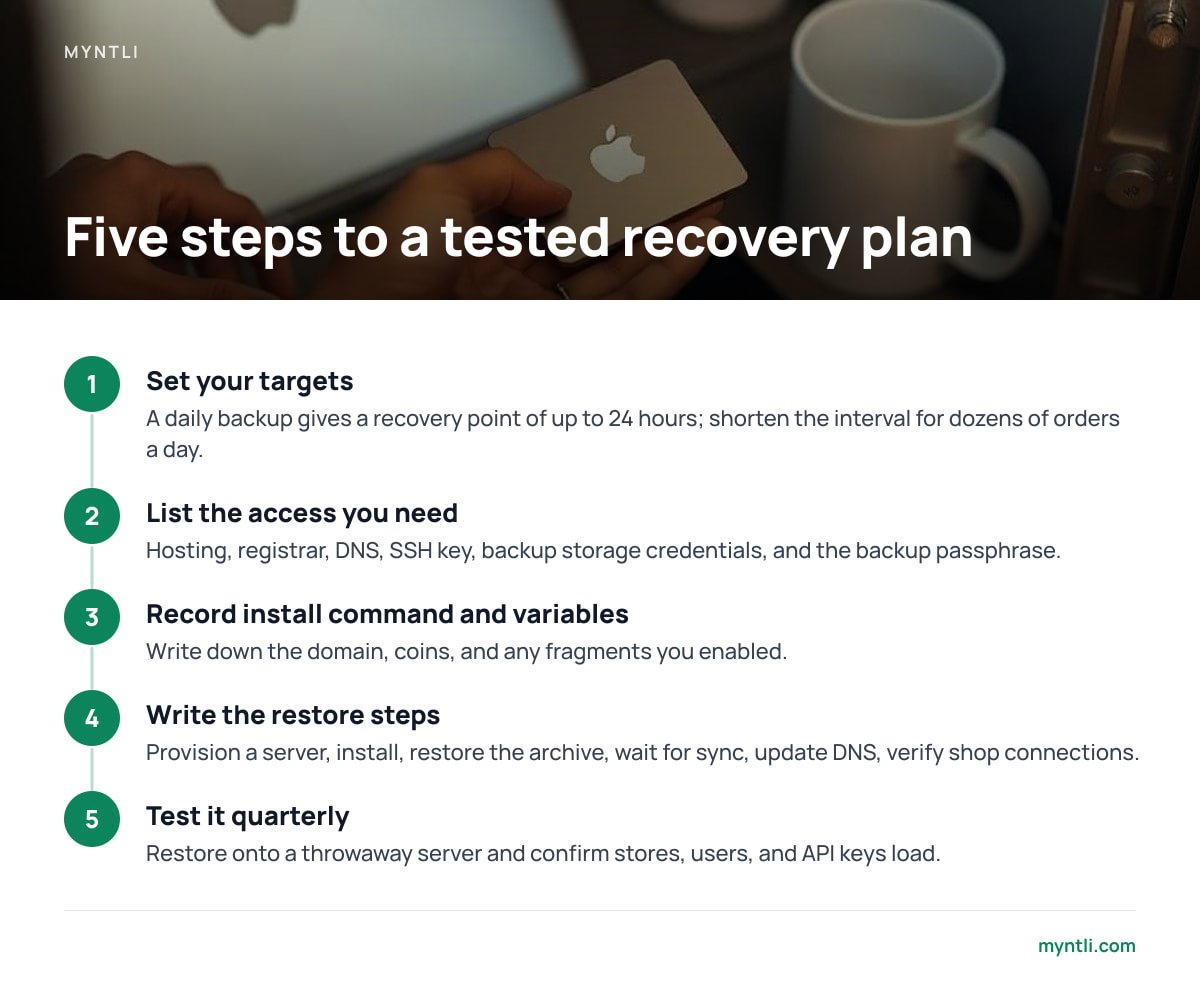
- Set your targets. A daily backup gives you a recovery point of up to 24 hours. That sounds bad, but payments confirmed on-chain during the gap are still in your wallet's transaction history. The cost is order statuses that need manual reconciliation, which is why a daily schedule is enough for most small shops. If you handle dozens of orders a day, shorten the interval.
- List the access you need. Hosting account login, domain registrar login, DNS records, SSH key, backup storage credentials, and the backup passphrase.
- Record the install command and variables. Domain, coins, and any fragments you enabled.
- Write the restore steps. Provision a server, run the same install, run the restore script with your archive, wait for sync, update DNS, then verify shop connections.
- Test it. Every quarter, restore onto a throwaway server and confirm that stores, users, and API keys load.
Pro Tip: When you run a test restore, do it on a server with a different domain and keep it disconnected from your live shop. A restored copy still holds your real webhook endpoints and API credentials, and a copy that talks to your live store can create duplicate or confusing order events. Delete the test server and rotate nothing, since the live system never saw it.
If your shop runs on a platform like BigCommerce, the same runbook applies, and our BigCommerce integration guide lists the shop-side credentials you need to re-enter after a restore.
Get Hosted BTCPay With Monitoring and Updates Handled
Someone has to run the server, and for most merchants that someone should not be them. Myntli runs your BTCPay Server store on its own node for a flat $29 a month, connected to your existing shop through WooCommerce, Shopify, Ghost, Magento, PrestaShop, Drupal Commerce, Invoice Ninja, or ReplaPay. Monitoring, updates, and sync maintenance are included, so the unpatched-server and resync problems above are ours. Payments go straight into your own wallet, with no percentage taken and no custody. If you prefer your own machine, we install a full node on your server for $449.
One limit matters most here: your seed phrase is yours alone. We never hold it, so we cannot recover it, and you still need your own offline copy. If you choose the $449 install on your own server, ask what your backup and restore scope is before you sign off, and check the spec sheet for exactly what is included.
Frequently Asked Questions
What is a BTCPay Server?
BTCPay Server is free, open-source software that lets a merchant accept bitcoin payments directly into their own wallet. You host it yourself or have it hosted for you, and it creates invoices, watches the blockchain, and updates your shop when a payment confirms. No third party takes custody of the funds.
How do I use BTCPay?
Create a store, connect your wallet using a public key or descriptor, and link your shop through a plugin or the API. When a customer checks out, BTCPay creates an invoice, shows the payment details, and notifies your shop once the payment confirms. Test with a small payment before going live.
What is a backup disaster recovery plan?
It is a written plan that says what you copy, where the copies go, and how you bring a failed system back. It sets a recovery point (how much recent data you can lose) and a recovery time (how long you can be down). For BTCPay, that means a database backup, an offline wallet seed, saved install settings, and a tested restore.
Is BTCPay secure?
BTCPay is open source and does not take custody of your funds when you connect your own wallet, which removes the largest risk in payment processing. Its security then depends on how you run it: SSH keys, two-factor login, regular updates, and encrypted backups. Avoid using the built-in hot wallet for store revenue.
Do I need to back up the blockchain on a BTCPay Server?
No. Blockchain data is hundreds of gigabytes and can be downloaded again by the node, so the official backup script leaves it out. Plan for the sync time in your recovery estimate, since it can take a day or more on modest hardware.
Sources
- NIST Special Publication 800-34 Rev. 1, Contingency Planning Guide for Federal Information Systems | NIST
- Backup and Restore (Docker deployment) | BTCPay Server Documentation
- btcpayserver-docker | BTCPay Server on GitHub
- Recovery documentation | Lightning Labs (LND)
- BTCPay Server | BTCPay Server Project