

To accept bitcoin directly to your wallet, run payment software that derives a fresh address from your wallet's extended public key for every order, so coins settle on-chain to you and never sit in a third party's account. The distinction that matters is custody, not convenience. A static address is free but blind to orders, while a self-hosted invoice server like BTCPay Server keeps the funds yours and still tells your shop who paid.
TL;DR:
- "Directly to your wallet" means the payment software holds only a public key, so it can receive and track payments but cannot spend them.
- A single static address works for a donation link but breaks down for real orders: no order matching, address reuse, and a privacy leak.
- BTCPay Server is the practical way to get invoices, order matching and shop plugins without a processor taking custody or a percentage.
- Wallet setup is where merchants get hurt: back up the seed offline, use the xpub rather than the seed, and send a test payment before launch.
- You still owe the work a processor would hide: tax records, volatility decisions, and keeping the server patched, or paying someone to do it.
Table of Contents
- What "Directly to Your Wallet" Actually Means, Mechanically
- Four Ways to Accept Bitcoin Directly to Your Wallet, Compared
- Why a Static Address Fails Once You Have Real Orders
- How BTCPay Server Takes Payments Without Touching Your Keys
- Setting Up the Wallet Side Before You Touch the Store
- Settlement Realities: Confirmations, Fees, Volatility and Lightning
- Taxes and Compliance When There Is No Processor Doing the Paperwork
- Get Direct-to-Wallet Bitcoin Checkout Without Running the Server
- Frequently Asked Questions
- Sources
What "Directly to Your Wallet" Actually Means, Mechanically
Most people searching this phrase want one thing: a customer pays, and the bitcoin lands in a wallet only they control. No intermediary balance, no withdrawal request, no waiting for a payout schedule. That goal is older than any payment company. Satoshi Nakamoto's 2008 Bitcoin paper describes a peer-to-peer electronic cash system that works without a financial institution, and merchants taking bitcoin directly are using it as designed.
The mechanism that makes this workable for a website is the extended public key, or xpub. Your wallet can export an xpub that lets software derive an unlimited series of receiving addresses. It cannot sign a transaction. So your store can hand every customer a unique address, watch the blockchain for payment, and mark the order paid, all without ever holding anything that could move your funds.
If a service asks for your seed phrase or private key to "connect your wallet," walk away. That is not direct receiving. That is handing over the keys.
Four Ways to Accept Bitcoin Directly to Your Wallet, Compared
There are really only four architectures, and only the first three leave the money in your control. The fourth is included because it is what most "accept bitcoin" plugins quietly do.
| Method | Who holds the keys | Order matching | Ongoing fee | Upkeep |
|---|---|---|---|---|
| Static address or QR code | You | None, manual checking | None | None, but you reconcile by hand |
| Self-hosted BTCPay Server | You | Automatic, per-invoice | None to software; server costs only | You patch, back up and monitor |
| Managed BTCPay Server host | You | Automatic, per-invoice | Flat hosting fee | Host handles it |
| Custodial processor | Processor | Automatic | Usually a percentage, plus payout delays | Processor handles it |
My position: for any shop that expects more than a handful of bitcoin orders a month, pick one of the two BTCPay rows. The static address is fine for a tip jar. The custodial route is fine if you explicitly want someone else to hold funds and carry regulatory exposure, but then you are not receiving directly, and our payment processor guide covers what that custody costs you.
Why a Static Address Fails Once You Have Real Orders
Pasting one address into your checkout page feels like the purest version of "directly to my wallet." It breaks quickly, for three reasons.
- No order matching. Two customers each send 0.0021 BTC within an hour. Which order does each payment belong to? You will be reading a block explorer and guessing.
- Address reuse. Every payment to the same address ties together publicly. Anyone can see your total revenue by pasting that address into an explorer, and your customers' wallets can be linked to each other through yours. Bitcoin.org's wallet security guidance lists address reuse among the habits that weaken privacy.
- No price lock or expiry. The customer quote is a number you typed. If the price moves 4% before they pay, you are arguing over underpayments by email.
Unique addresses per invoice fix all three, and that is exactly what an xpub-driven server does automatically.
How BTCPay Server Takes Payments Without Touching Your Keys
BTCPay Server's documentation describes it as free, open-source, self-hosted payment software that connects directly to a bitcoin node and wallet. It charges no fee on payments because there is no company in the payment path. Here is what happens on a single order.
The Flow, Step by Step
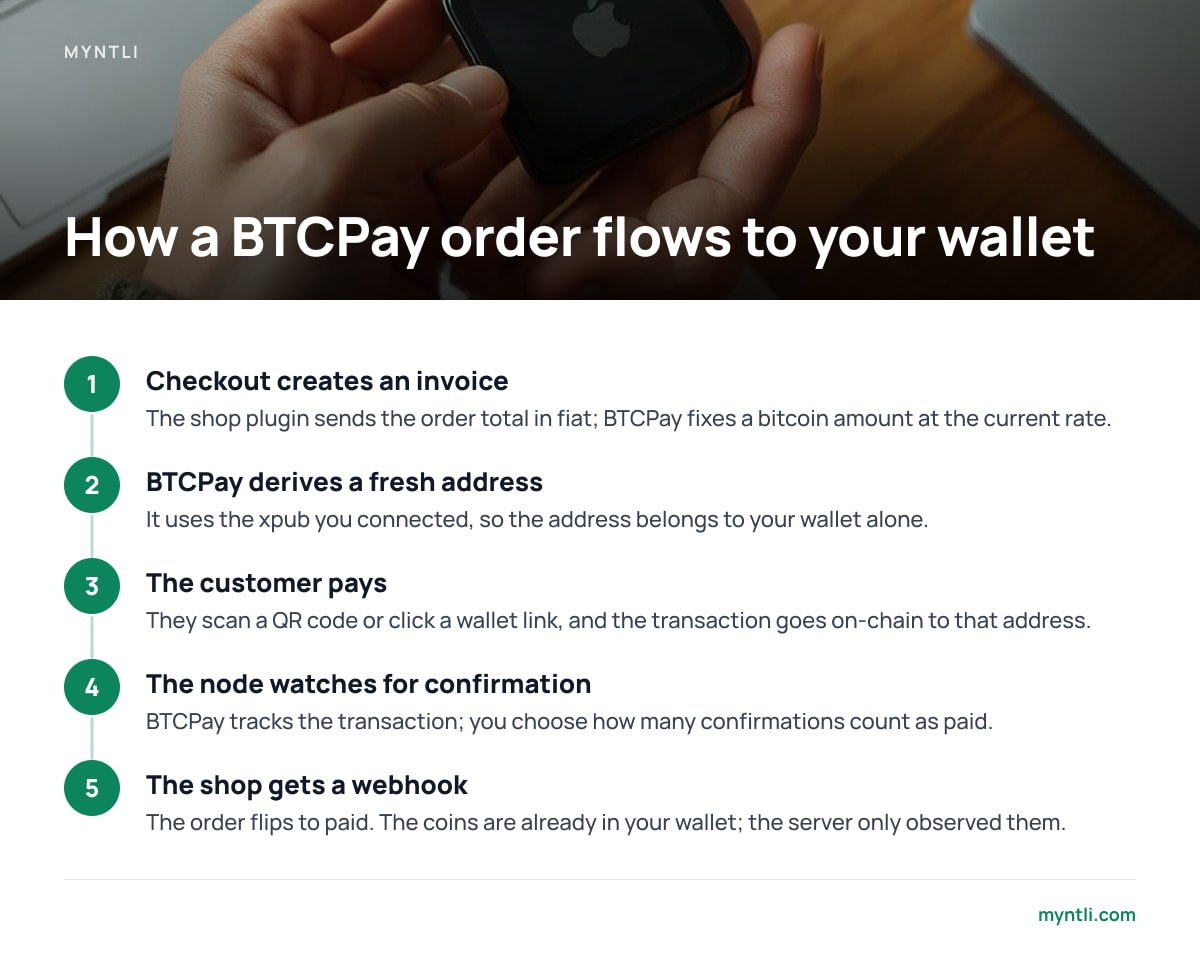
- Checkout creates an invoice. Your shop plugin tells BTCPay the order total in dollars or any fiat currency. BTCPay fixes a bitcoin amount at the current rate for a set window.
- BTCPay derives a fresh address. It uses the xpub you connected, so the address belongs to your wallet and nobody else's.
- The customer pays. They scan a QR code or click a wallet link. The transaction goes on-chain straight to that address.
- The node watches for confirmation. BTCPay tracks the transaction, and you choose how many confirmations count as "paid."
- The shop gets a webhook. The order flips to paid. The coins are already in your wallet; the server only observed them.
Where the Server Is a Risk and Where It Isn't
If the server is compromised, an attacker can see your invoices and could swap the address shown at checkout, which is a real attack to guard against. They cannot drain your existing balance, because the server never had spending keys. That is a very different failure mode from a custodial account getting hacked or frozen. For a deeper look at what running your own node verifies, see our full node explainer.
Setting Up the Wallet Side Before You Touch the Store

Merchants usually fuss over the plugin and rush the wallet. Reverse that.
- Use a wallet you control. A hardware wallet is the strongest option for a business. A well-maintained software wallet on a dedicated device is the minimum.
- Write the seed phrase on paper, twice. Store the copies in separate places. Never photograph it, email it, or paste it into a password manager synced to the cloud.
- Export the xpub, not the seed. Connect that to BTCPay as a watch-only wallet. Signing happens on your device when you spend.
- Send a test payment. Buy something from your own store for a small amount, then spend it back out of the wallet. If you cannot move the money, you do not have a payment system yet.
Most wallets stop scanning after 20 consecutive unused addresses, a convention that comes from BIP44. A store that generates many abandoned invoices can push real payments past that gap and make your balance look short.
Pro Tip: Before launch, restore your wallet from the seed on a second device and confirm it shows the test payment. Then look up your wallet's gap-limit setting. If you run a store that creates lots of unpaid invoices (flash sales, bots hitting checkout), raise the limit or rescan when a payment seems missing. The coins are almost never lost. The wallet just stopped looking for them.
Settlement Realities: Confirmations, Fees, Volatility and Lightning
Taking bitcoin directly changes some operational habits. None are dealbreakers, but you should decide on them before the first sale, not after.
- Confirmations. Blocks arrive roughly every ten minutes on average. For a $15 digital download, accepting a transaction at zero or one confirmation is a reasonable risk. For a $2,000 physical order, wait for more. BTCPay lets you set this policy per store.
- Network fees. The customer pays the miner fee when they send. You pay a fee later when you spend the coins, so consolidating many small payments at once during a quiet fee period is cheaper than sweeping each one.
- Price exposure. An invoice locks a rate for a short window, so keep that window short. Whether you hold the bitcoin or sell it afterward is your decision. Many merchants keep a working balance and sell the rest on their own schedule.
- Lightning. It gives near-instant settlement and tiny fees, but it needs a node with channel liquidity and an always-online hot wallet. I would start every store on-chain from a hardware-wallet xpub and add Lightning only once there is real volume to justify the extra moving part.
Integration matters too. Most shops want this wired into their cart, not bolted on as a payment link. Our guide to accepting bitcoin in your online store walks through plugin options, and the payment module breakdown explains what to check before you install one.
Taxes and Compliance When There Is No Processor Doing the Paperwork
A processor's dashboard often doubles as your bookkeeping. Skip the processor and that job is yours. Keep a record of each order: date, bitcoin amount, and the fiat value at the time you received it. BTCPay's invoice exports help, but export them regularly.
Rules differ by country, so check with a local accountant. As one example, the IRS digital assets guidance says that if you receive digital assets for goods or services, you report their fair market value as income. Later, when you sell or spend that bitcoin, a separate gain or loss may arise.
On the regulatory side, the Financial Action Task Force frames its virtual-asset rules around businesses that transfer or safekeep assets on behalf of others. A merchant who only sells goods and receives payment into their own wallet is in a different position from a company that holds customer balances. That is not legal advice, and local law varies, but the custody distinction is the one regulators themselves draw.
Get Direct-to-Wallet Bitcoin Checkout Without Running the Server
The hard part of everything above is not the concept. It is the server: installing, syncing, updating, monitoring and wiring BTCPay into your shop, then noticing when it falls over. Myntli does that work. For $29 a month you get a hosted BTCPay store on our node, connected to your WooCommerce, Shopify, Ghost, Magento, PrestaShop, Drupal Commerce, Invoice Ninja or ReplaPay shop. Customers pay into your wallet, we take no percentage, and we never hold your funds. If you don't have a wallet yet, we'll walk you through setting one up.
If you'd rather own the whole stack, we install a full BTCPay node on your own server for $449. The caveat: on the hosted plan, checkout depends on our node being up, so an outage on our side pauses invoicing even though your funds stay safe. Your seed backup is also entirely yours, because we cannot recover a lost one.
Frequently Asked Questions
Can I accept bitcoin directly to my wallet without any software?
Yes, by posting a receiving address or QR code and checking payments by hand. It works for donations or a handful of sales. Once you have multiple orders, you lose order matching and reuse addresses, which hurts privacy.
Does BTCPay Server ever hold my bitcoin?
No. It uses your wallet's extended public key to generate addresses, and that key cannot spend funds. Payments settle on-chain into your wallet, and spending requires your own keys.
Do I need to run my own bitcoin node to accept payments?
BTCPay Server is built around a node, but you do not have to operate it yourself. You can self-host on your own server or use a managed host that runs the node and keeps it updated. Either way, the funds go to your wallet.
What happens if my server goes down while customers are checking out?
New invoices cannot be created until it is back, and payment detection pauses. Payments already sent still arrive in your wallet, since they are on-chain. When the server resyncs it will detect them and update the order.
Is accepting bitcoin directly different for tax purposes?
The tax treatment depends on your country, not on whether a processor was involved. In the United States, the IRS says digital assets received for goods or services are reported at fair market value. Without a processor, you need to keep your own records of each payment.
Sources
- Bitcoin: A Peer-to-Peer Electronic Cash System | Bitcoin.org (Satoshi Nakamoto)
- Secure your wallet | Bitcoin.org
- BTCPay Server Documentation | BTCPay Server
- Digital assets | Internal Revenue Service
- Financial Action Task Force | FATF