

A Ghost membership site is a publication where readers sign up as free or paid members and Ghost gates each post by tier. The distinction that matters is that Ghost the software is free and open source, while Ghost(Pro) is the paid hosting for it. Native paid checkout only handles cards, so any other payment method is something you add yourself.
TL;DR:
- Ghost is free to self-host; Ghost(Pro) is the paid managed option, and the two have different logins, bills, and cancellation paths.
- Ghost takes no cut of membership revenue, but the card processor behind paid tiers still does, and native checkout is card-only.
- Readers never set passwords. Members sign in with an emailed magic link, and you manage everything at yourdomain.com/ghost.
- You can accept bitcoin on a Ghost membership site by pairing BTCPay Server with the Ghost Admin API, but bitcoin is a push payment, so tiers become fixed-term passes.
- Self-hosting saves money and costs you server upkeep, including a mail service for newsletters. Pick it only if you will actually maintain it.
Table of Contents
- How a Ghost Membership Site Works, From Signup to Gated Post
- Ghost(Pro) vs. Self-Hosted: What You Pay and What You Run
- Is a Ghost Membership Site Free? Where the Costs Actually Land
- Ghost Admin Login, Member Login, and Ghost(Pro) Billing: Which Account Is Which
- Ghost Membership Site Reviews: Where It Wins and Where It Hurts
- Adding Bitcoin to a Ghost Membership Site Without Breaking Memberships
- Three Ghost Membership Setups That Look Fine and Fail Later
- Get Bitcoin Paid Memberships on Your Ghost Site, Without Running the Server
- Frequently Asked Questions
- Sources
How a Ghost Membership Site Works, From Signup to Gated Post
Ghost's membership system is built into the core product, not bolted on as a plugin. A visitor signs up with an email address, Ghost sends a sign-in link, and from then on the reader is a member with a status: free or paid. Ghost's own documentation describes the model, and the useful parts for you come down to three things.
- Passwordless login. Members never create a password. Each sign-in is an emailed magic link, which removes the "forgot password" support burden but makes your email deliverability part of your login system.
- Per-post visibility. Every post is set to public, members only, paid members only, or limited to specific tiers. A public preview divider lets you show the first few paragraphs and gate the rest.
- Tiers. You can run one free tier and several paid tiers, each with its own price, benefits, and monthly or annual billing.
The trade-off is that Ghost is opinionated. It does publishing, newsletters, and memberships very well. It does not do course progress tracking, community forums, or complex per-product access rules. If you need those, Ghost is the wrong tool, and no amount of configuration will change that.
Ghost(Pro) vs. Self-Hosted: What You Pay and What You Run

Two things share the Ghost name, and most confusion in search results comes from mixing them up. Ghost the software is open source under the MIT license and developed by a nonprofit, as the Ghost Foundation describes it. Ghost(Pro) is the managed hosting the foundation sells to fund that work.
| Ghost(Pro) | Self-hosted Ghost | |
|---|---|---|
| Software cost | Monthly plan, scaled by audience size (check current pricing) | $0 |
| Server | Run for you | Your VPS, usually Ubuntu with MySQL 8 and Nginx |
| Updates and backups | Handled | Yours |
| Newsletter sending | Included | You configure a bulk mail service |
| Admin address | yoursite.ghost.io/ghost or your custom domain/ghost | yourdomain.com/ghost |
| Best for | Writers who want to write | Operators comfortable with a command line |
My position: choose Ghost(Pro) unless you have a specific reason not to. The money you save self-hosting is real but small, and the hours you spend on updates, backups, and mail configuration are not free. Self-host if you need custom integrations, full control of the stack, or a payment setup the managed plans don't allow.
Is a Ghost Membership Site Free? Where the Costs Actually Land
The software is free. Running it is not. A self-hosted Ghost membership site costs a small virtual server, a domain, and a transactional or bulk mail service. Ghost's newsletter feature on self-hosted installs relies on Mailgun for bulk sending, and that is the cost people most often miss.
On paid tiers, Ghost states that it takes no transaction fees on membership revenue. The processor connected to your paid tiers still charges its usual card fees, which is where the real percentage comes from. Ghost is not skimming you, but someone in the chain is.
Ghost takes 0% of your membership revenue, yet native paid checkout still routes through a card processor that does not.
If "free" is your search intent, the honest answer is that you can run free membership tiers, with email signups and a gated archive, for the price of hosting alone. You only meet payment costs when you charge.
Ghost Admin Login, Member Login, and Ghost(Pro) Billing: Which Account Is Which
Most "login" searches are people landing on the wrong door. There are three separate accounts.
- Ghost Admin login. For publishers and staff. Add
/ghostto your site address, for exampleyourdomain.com/ghost. This is where you edit posts, set tiers, and export members. - Member portal. For readers. The signup and sign-in window opens from the site's subscribe button, or directly at
yourdomain.com/#/portal/signin. Members manage their email preferences and subscription here. - Ghost(Pro) account. For the person paying for hosting. Billing, plan changes, and site deletion live in the Ghost(Pro) dashboard, separate from the site's own admin.
Canceling follows the same split. A reader cancels a paid tier from the member portal's account screen, and the access usually continues until the period they paid for ends. A publisher canceling a Ghost(Pro) subscription does it from the Ghost(Pro) billing area, not from inside the site. Before you cancel hosting, export your members and content from Ghost Admin, because the export is your only portable copy.
Pro Tip: Before you cancel or migrate, export members and check whether paid subscribers are tied to the card processor's records rather than just Ghost's. Subscriptions that bill through the processor must be moved or reattached deliberately, or members can lose access or be double-billed.
Ghost Membership Site Reviews: Where It Wins and Where It Hurts

Reviews of Ghost mostly agree on the same strengths and the same gaps, so here is a verdict instead of a roundup.
What it does better than most
- Speed and focus. The editor and the reader experience are quick and uncluttered.
- Ownership. You hold your member list, you can export it, and you can leave.
- Fee structure. No platform percentage, which matters once revenue grows.
Where it falls short
- Card-only paid checkout. If your audience prefers another way to pay, or sits where cards are unreliable, you are building around the platform.
- Thin access logic. Tiers are the only gate. Bundles, one-off purchases, and course-style unlocks need custom work.
- Self-hosting upkeep. Updates, backups, and mail are on you.
I would pick Ghost for a publication or creator newsletter with up to a few tiers. I would not pick it for a course business. Deciding by that line saves you the migration later.
Adding Bitcoin to a Ghost Membership Site Without Breaking Memberships

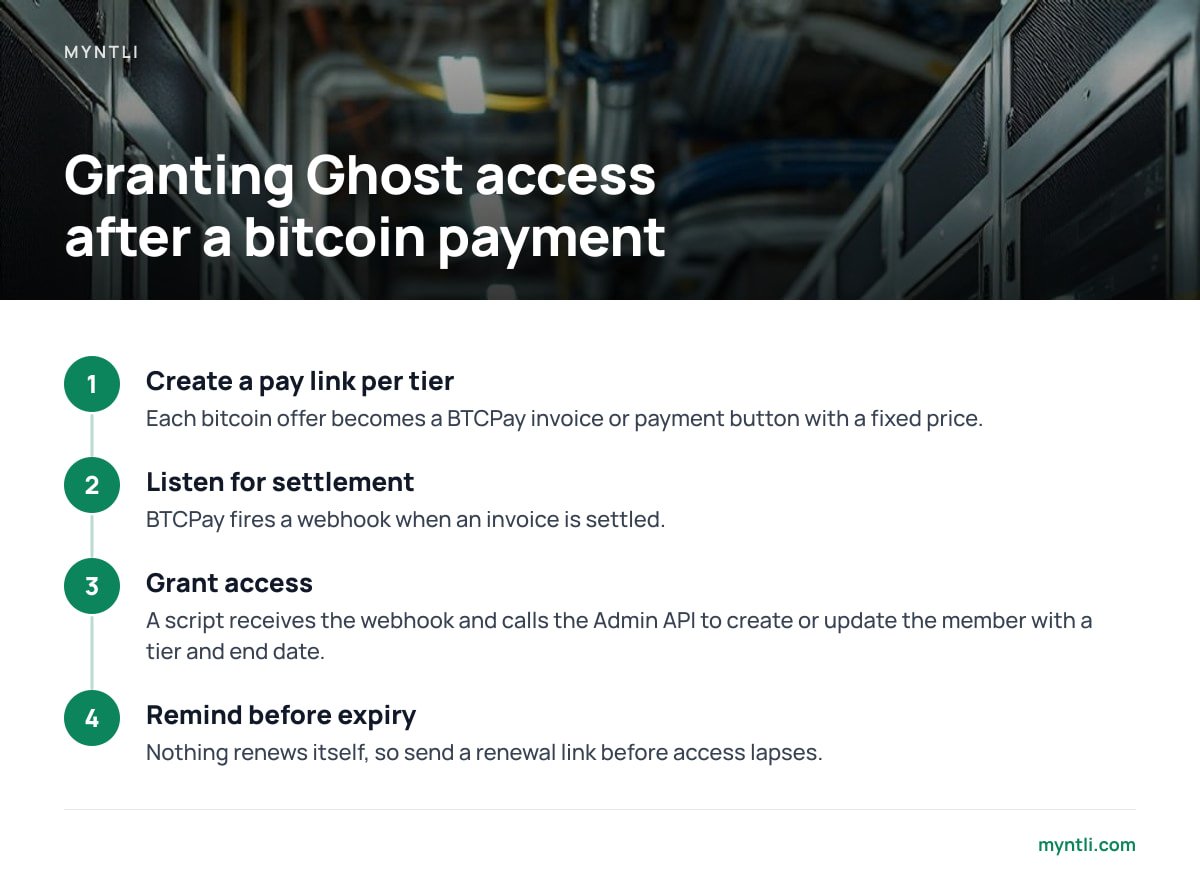
Ghost's native paid checkout does not take bitcoin, and Ghost does not expose a payment-gateway plugin slot. So bitcoin runs beside the native flow and talks to it through the Ghost Admin API, which can create and update members and assign tiers. The payment side runs on BTCPay Server, the open-source, self-hosted payment processor that sends funds straight to your wallet. The pattern looks like this:
- Create a pay link per tier. Each bitcoin offer, say "Supporter, 1 year", becomes a BTCPay invoice or payment button with a fixed price.
- Listen for settlement. BTCPay fires a webhook when an invoice is settled.
- Grant access. A small script or automation receives the webhook and calls the Admin API to create or update the member and give them the matching tier, with an end date.
- Remind before expiry. Because nothing renews itself, you send a renewal link before access lapses.
Bitcoin is a push payment: nobody can pull next month's fee from a wallet, so a bitcoin tier is a fixed-term pass, not a subscription.
That fact shapes everything. Card subscriptions renew silently, while bitcoin tiers need the member to act each period. My recommendation is to sell bitcoin access as annual or multi-month passes, since one deliberate payment a year suits the medium better than twelve reminders. Treat it as an addition to card billing for readers who want it, not a replacement.
On custody, the comparison is simple. A setup where funds land in your own wallet means no processor can freeze your membership income, which is the heart of a non-custodial crypto payment gateway. If you want to understand what verifying those payments yourself involves, what a full node verifies and what it doesn't is worth reading first.
Three Ghost Membership Setups That Look Fine and Fail Later
- Comped access with no expiry. If your automation grants a tier and never ends it, a one-time payment becomes lifetime access. Always set an end date or schedule a revoke.
- Matching payments to the wrong email. A reader pays from one address and signs up with another. Put the member email into the invoice metadata so the webhook knows who to upgrade.
- Self-hosting without a restore test. A backup you have never restored is a hope. Restore one onto a throwaway server before you need it.
If you sell through more than one channel, the same payment-routing logic applies elsewhere. The payment module guide covers how to evaluate the connector layer in general.
Get Bitcoin Paid Memberships on Your Ghost Site, Without Running the Server
Myntli takes on the hard part of the setup above: the BTCPay Server. For a flat $29 a month, it hosts, monitors, and updates your node, then wires it into your Ghost site as part of its shop integration setup. Payments go straight to your own wallet. There is no percentage taken, no custody, and no KYC on your store. If you don't have a self-custody wallet yet, setup guidance is included, and API access is there if you want to build the member-granting script yourself. If you would rather own the whole stack, a full node installed on your own server is $449.
One honest limit: Ghost's native tier checkout stays card-based, so bitcoin access is a connection built around Ghost's Admin API and not a one-click switch inside Ghost's settings. Renewals are also manual by nature. Check the integration spec for your Ghost version and hosting plan, including ours, before you commit.
Frequently Asked Questions
Can I run a Ghost membership site for free?
Yes, for free tiers. Ghost is open source, so you can self-host it and offer free email signups for the cost of a server and a domain. Paid tiers add card-processing fees, and newsletter sending on self-hosted installs needs a bulk mail service.
How do I log in to Ghost Admin?
Add /ghost to your site's address, for example yourdomain.com/ghost, and sign in with your staff account. Ghost(Pro) sites also work at yoursite.ghost.io/ghost. Readers use a different door, the member portal, which sends an emailed sign-in link.
How do I cancel a Ghost subscription?
It depends which subscription. Readers cancel a paid tier from their account screen in the member portal. Publishers cancel Ghost(Pro) hosting from the Ghost(Pro) billing dashboard, and should export members and content from Ghost Admin first.
Does a Ghost membership site accept bitcoin?
Not natively. Ghost's built-in paid checkout is card-based. You can accept bitcoin by using BTCPay Server to take payment and the Ghost Admin API to grant a tier when an invoice settles.
Why can't bitcoin payments auto-renew a Ghost subscription?
Bitcoin is a push payment, so the payer sends funds; no one can pull them later. Sell fixed-term passes and send renewal reminders instead of expecting automatic billing.
Sources
- Ghost Documentation | Ghost Foundation
- Ghost Admin API Documentation | Ghost Foundation
- About Ghost | Ghost Foundation
- Ghost Official Site | Ghost Foundation
- BTCPay Server Documentation | BTCPay Server Project