

Migrating from custodial to self custody payments rarely interrupts sales. Shoppers only see the checkout page, and the custody layer behind it can be swapped while both run side by side. The disruption risk sits in three places: open invoices on the old processor, order-status automations that expect the old plugin's webhooks, and the funds needed to refund orders already paid. Plan for those and the cutover takes an afternoon.
TL;DR:
- Customers see a payment page either way, so the switch is invisible to them if you run old and new checkouts in parallel for about 14 days.
- Three things break in practice: unpaid old invoices, order-status automations, and refunds on pre-migration orders.
- Do not withdraw everything and close the old account on day one. Keep a refund float there until your longest refund window has passed.
- Verify the first receiving address on your wallet's own screen, and watch the 20-address gap limit if you have many abandoned carts.
- At a 1% processor fee, $29 a month of managed self-custody hosting breaks even at $2,900 in monthly sales.
Table of Contents
- Why Shoppers Barely Notice the Switch, and Where Merchants Do
- Migrating From Custodial to Self-Custody Payments: What to Prepare First
- The Cutover Plan: Run Both Checkouts for Two Weeks
- Settlement and Refunds: Where the Obvious Plan Backfires
- What You Give Up, and the Sales Volume Where It Pays
- When to Wait: Cases Where Staying Custodial a Little Longer Is Right
- Get Self-Custody Checkout Running Without Running a Server
- Frequently Asked Questions
- Sources
Why Shoppers Barely Notice the Switch, and Where Merchants Do
A bitcoin checkout is a page with an address or a Lightning invoice and a QR code. The customer's wallet does not know or care who holds the keys on the receiving end. A migration changes who generates the payment request and who ends up holding the coins. For the full comparison of those two models, read Custodial vs Non-Custodial Crypto Payment Processors. This article covers only the move.
The checkout swap is the easy part. Three other things go wrong in real migrations:
- Open invoices. A shopper who opened a payment page ten minutes before your cutover may still pay it. If you have already killed the old account, that payment goes nowhere you can reach.
- Order-status automations. Your shop probably triggers fulfillment, emails or inventory changes when an order reaches a status such as "processing." A new gateway plugin can map payment events to different statuses, and orders then sit paid but unfulfilled.
- Refunds on old orders. Anything sold before the cutover was paid into the old processor. Refunding it from your new wallet is possible, but you need a policy for it before the first request arrives.
Migrating From Custodial to Self-Custody Payments: What to Prepare First
Do the preparation before you touch the live checkout. None of it affects sales.
The wallet
You need a wallet whose seed phrase only you hold. If you have none, the business wallet setup guide walks through it, and the wallet buyer's test covers what to look for in a merchant context. A hardware wallet is my pick for anything above pocket-money volume, because the seed never touches a connected device.
BTCPay Server's documentation describes connecting a wallet to a store by importing its extended public key, the mechanism defined in BIP 32. The server derives a fresh receiving address for each invoice from that public key. It can see incoming payments but cannot spend them.
The records
Export your complete transaction history from the old processor before you change anything. You need it for tax filings, refund lookups and reconciling the final balance. Do it now, while the account is in good standing.
The first address
Generate the first receiving address from your store and confirm it on your hardware wallet's display. If you pasted the wrong key, every payment would go to addresses you cannot spend from, and you would find out weeks later.
Past 20 consecutive unused addresses, a wallet restored from its seed stops looking, so a later payment can appear to be missing.
That is the BIP 44 gap limit. It matters because every abandoned cart that generated an invoice leaves an unused address behind, so a busy store can open a gap larger than 20. The funds are safe, but a restored wallet needs its gap limit raised before it shows them.
Pro Tip: Test with a real payment from a wallet you do not control, such as a friend's, rather than sending to yourself from the receiving wallet. Then refund it through your store. That one round trip exercises address derivation, order status, the confirmation email and the refund path, which are the four things you cannot easily inspect any other way.
The Cutover Plan: Run Both Checkouts for Two Weeks

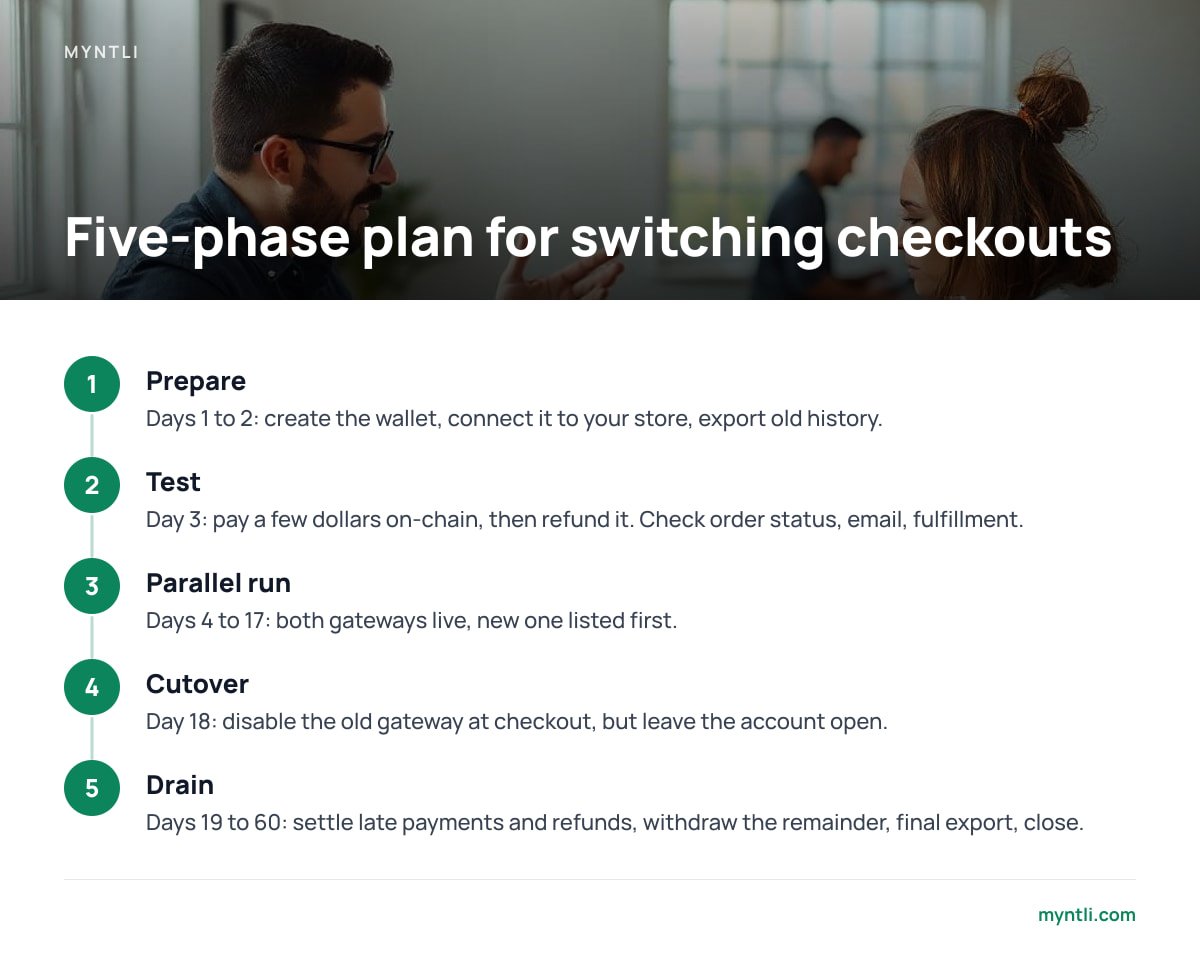
My recommendation is a 14-day overlap with the new checkout listed first. Most shop platforms, WooCommerce included, allow more than one payment gateway at a time, and BTCPay's WooCommerce documentation covers the plugin side. Customers who always use the old method can still do so while you watch the new one work.
| Phase | Timing | What you do | What to check |
|---|---|---|---|
| Prepare | Days 1 to 2 | Create the wallet, connect it to your store, export old history | First address matches the wallet's screen |
| Test | Day 3 | Pay a few dollars on-chain (and over Lightning if enabled), then refund it | Order status, email, fulfillment trigger |
| Parallel run | Days 4 to 17 | Both gateways live, new one listed first | Status mapping, support questions, gap in addresses |
| Cutover | Day 18 | Disable the old gateway at checkout, leave the account open | No new invoices appearing at the old processor |
| Drain | Days 19 to 60 | Settle late payments and refunds, withdraw the remainder, final export, close | Zero balance, history saved |
Run the cutover on your slowest weekday, not on a Monday because it feels tidy. Pull your order export and look at hourly volume before choosing.
Settlement and Refunds: Where the Obvious Plan Backfires
The obvious plan is to withdraw everything from the old processor and close the account on day one. It fails for two reasons.
First, refunds. A customer who bought three weeks before the switch will ask for money back after it. If the old account is closed, you pay from your new wallet, and your own books carry a payout with no matching sale in the new system. Keep a refund float at the old processor equal to the sales inside your longest refund window, and move the rest.
Second, the size of what you leave behind matters. A balance held by a custodian can become a creditor claim if that custodian fails, as the bankruptcy risk breakdown explains. Hold a float sized for refunds and nothing beyond it.
Write down the refund rule before you need it. My pick: refund the original fiat amount, converted to bitcoin at the time of the refund. The customer was quoted a fiat price, so the fiat amount is the one number both sides can verify.
What You Give Up, and the Sales Volume Where It Pays
Self-custody has real costs, and it is better to see them before you commit.
- Automatic fiat settlement. Many custodial processors convert to dollars or euros for you. In self-custody you hold bitcoin until you decide otherwise. I would sweep a fixed share to an exchange weekly, enough to cover payroll and supplier invoices, and hold the rest on purpose.
- A support desk. When a payment looks stuck, nobody at a processor will look at it for you. You or your host will.
- Built-in reporting. Your accounting tool needs to pull from your own store's invoices and from wallet exports instead.
- Your own tax duties. Self-custody removes an intermediary but leaves your reporting obligations in place.
The gain is mostly structural. The FATF treats businesses that safekeep or transfer virtual assets for others as virtual asset service providers, which is why custodial processors collect identity documents from merchants. A store receiving payments directly into its own wallet has no such intermediary in the path. The payment processor guide covers what custody costs in more detail.
The money side is simple arithmetic.
At a 1% processor fee, a flat $29 a month breaks even at $2,900 in monthly sales. At $20,000 a month, the fee is $200.
One check before you start: make sure the destination is actually non-custodial. If the new gateway touches funds even briefly, you have moved from one custodian to another. The guide to picking a real non-custodial gateway lists the tests.
When to Wait: Cases Where Staying Custodial a Little Longer Is Right
Not every store should migrate this week.
- Peak season. If November and December carry half your annual revenue, cut over in October or January. A two-week parallel run in the middle of a holiday rush is a bad time to learn a plugin's status mapping.
- Recurring billing. If your subscriptions run on the old processor's billing tools, moving them means re-collecting authorization from every subscriber. Migrate one-off sales first and handle subscriptions as a separate project.
- No one owns the seed. Self-custody puts backups in your hands. If nobody in the business can be trusted with a seed phrase and a written recovery plan, fix that first.
Get Self-Custody Checkout Running Without Running a Server
If you want the parallel-run setup done for you, Myntli hosts a BTCPay Server store on its own node for $29 a month. We wire it into WooCommerce, Shopify, Ghost, Magento, PrestaShop, Drupal Commerce, Invoice Ninja or ReplaPay, monitor and update the node, and guide you through wallet setup if you do not have one. Payments go straight to your wallet with no percentage taken. Because the new checkout sits beside the old one, the cutover is a plugin install, not a rebuild. If you would rather run the node yourself, a full install on your own server is $449.
There are limits. We cannot export your old processor's history or withdraw its balance for you, since those sit in your account there. The hosted plan also depends on our node staying up, while the server install puts uptime in your hands. Check the integration list for your shop version before you commit, and test with a small real payment first.
Frequently Asked Questions
Will customers notice when I switch from a custodial processor to self-custody?
Mostly not. They see a payment page with a QR code in both cases. The visible differences are the page's look and, if you enable Lightning, faster payment options.
Can I run the old processor and self-custody checkout at the same time?
Yes, and it is the safest way to migrate. Most shop platforms allow multiple payment gateways, so you can list the new one first and leave the old one available for about 14 days.
What happens to invoices that customers opened before the cutover?
They stay payable at the old processor until they expire, so keep that account open after you disable its gateway at checkout. Late payments then land where you can still see and withdraw them.
Do I need to withdraw my whole balance before I start?
No. Move most of it, but keep enough at the old processor to cover refunds on orders inside your longest refund window. Withdraw the remainder and close the account once that window has passed.
Does self-custody remove my tax or reporting obligations?
No. It removes the intermediary, not your own duties. Keep invoice exports and wallet records so you can reconcile sales and any later conversions to fiat.
Sources
- BTCPay Server Documentation | BTCPay Server
- BTCPay Server WooCommerce Integration | BTCPay Server
- BIP 32: Hierarchical Deterministic Wallets | Bitcoin Improvement Proposals
- Financial Action Task Force (virtual assets and VASP guidance) | FATF